Get every T&M ticket signed. Get paid for every change.
Tradeside puts T&M tickets, change orders, daily reports and crew scheduling in one app your foremen will actually use: on their phone, on the job, even with no signal.
30 days free. No credit card. Unlimited foremen and crew on every plan.
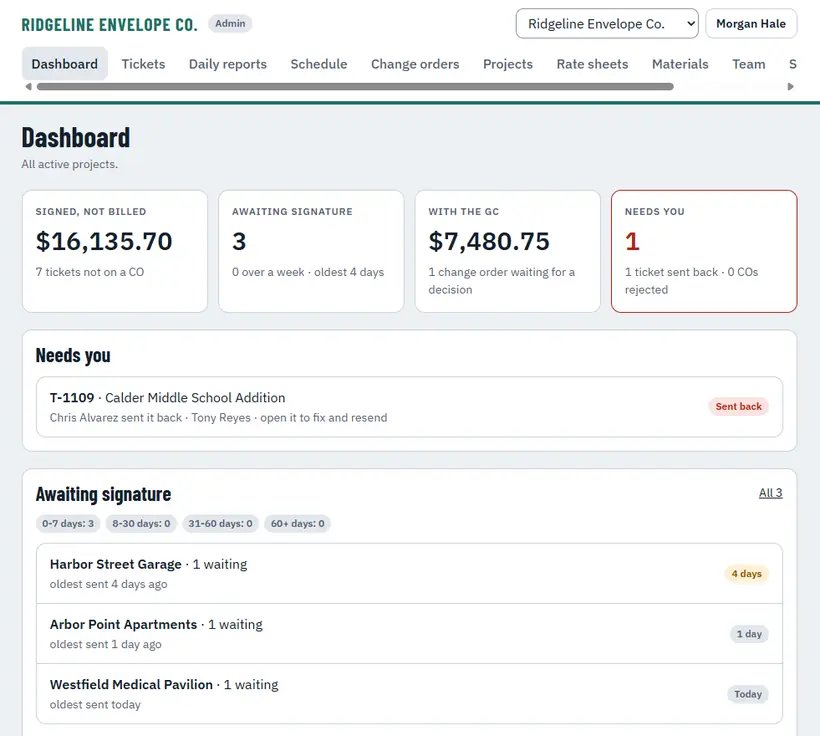
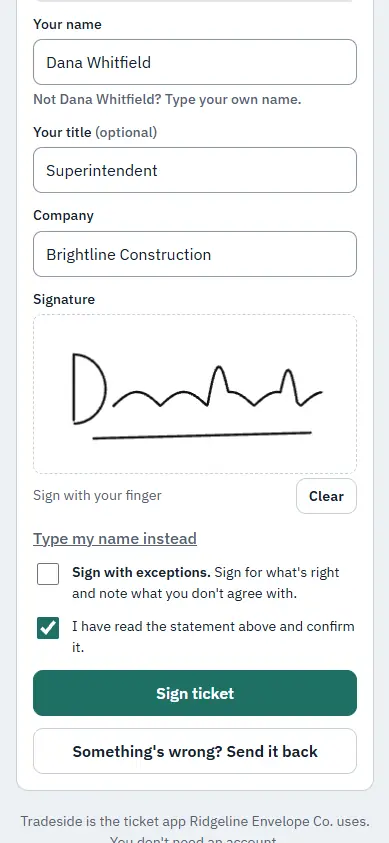
Extra work gets done every day. Getting paid for it is the hard part.
Paper tickets go missing, the super won't sign until next week, and by the time the change order goes out nobody remembers what happened. Meanwhile your superintendents spend their evenings on the phone sorting out tomorrow.
Tickets that never get signed
A ticket in the truck isn't money. Tradeside sends it to the GC's super the same day, by text or email, and reminds them until it's signed.
Change orders built from memory
Signed tickets roll straight into a priced change order with your rates, markup and the signed backup attached. Nothing retyped.
Hours lost on the phone
Build tomorrow's crews on one board and text every person their job, address and start time with one tap.
Everything that happens on the job, on the record
Write it on site. Get it signed before the super leaves.
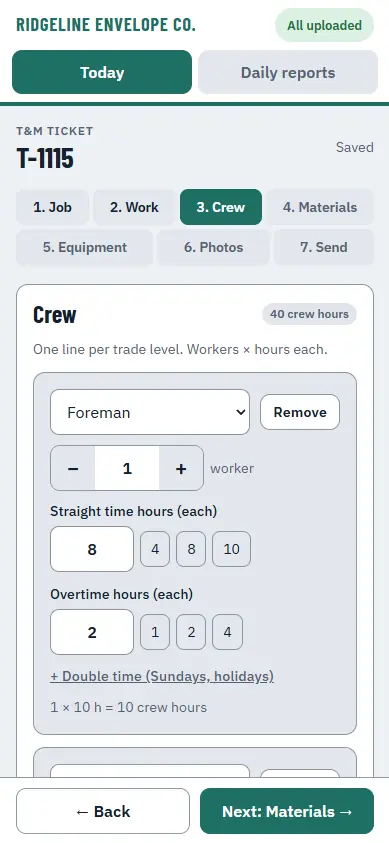
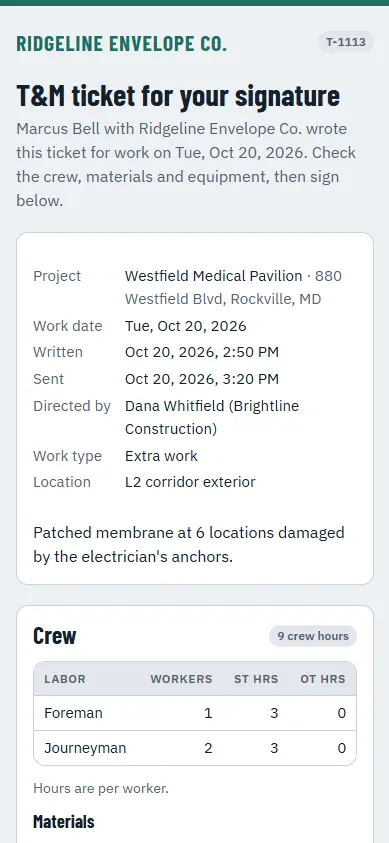
Foremen pick the crew, hours, materials and equipment from your lists, add photos, and send it. The super signs on their phone, with no account to set up, and you get a signed PDF with a timestamp and their signature.
- Signed in person on the foreman's phone, or sent by text or email
- Automatic reminders until it's signed; disputes come back with a note
- Foremen never see your rates or prices
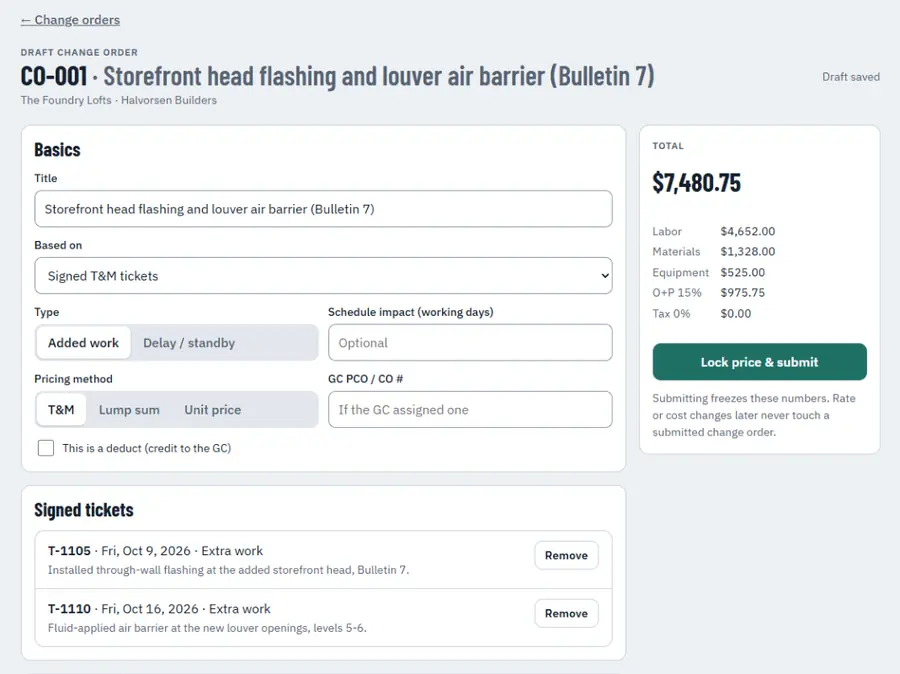
Signed tickets become a priced change order
Pick the signed tickets, and Tradeside prices labor, materials and equipment from the job's rate sheet with your markup. Send a clean PDF with every ticket attached as backup, and track it until it's approved.
- T&M, lump sum or unit price
- Rate sheets per GC or job, with overhead and profit
- Every signed ticket attached as backup
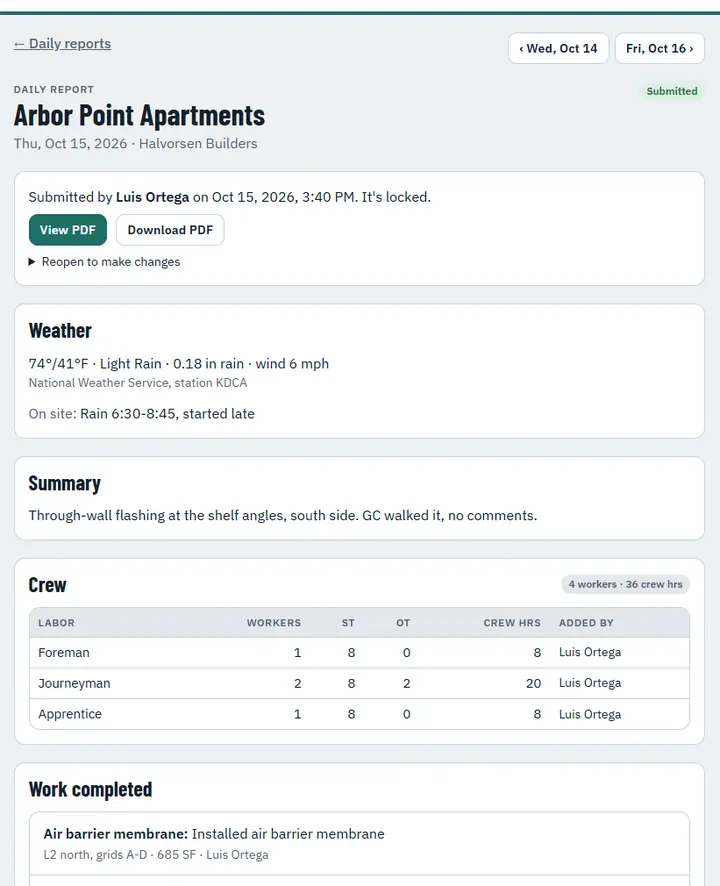
Daily reports your foremen finish in five minutes
Crew and hours, work done, deliveries, equipment, delays, safety and photos, with the weather filled in for them. When a dispute comes up, build a packet of every delay and extra-work note on a job in one click.
- Weather from the nearest station, added automatically
- Missing reports flagged every morning
- Delay and extra-work packets for claims
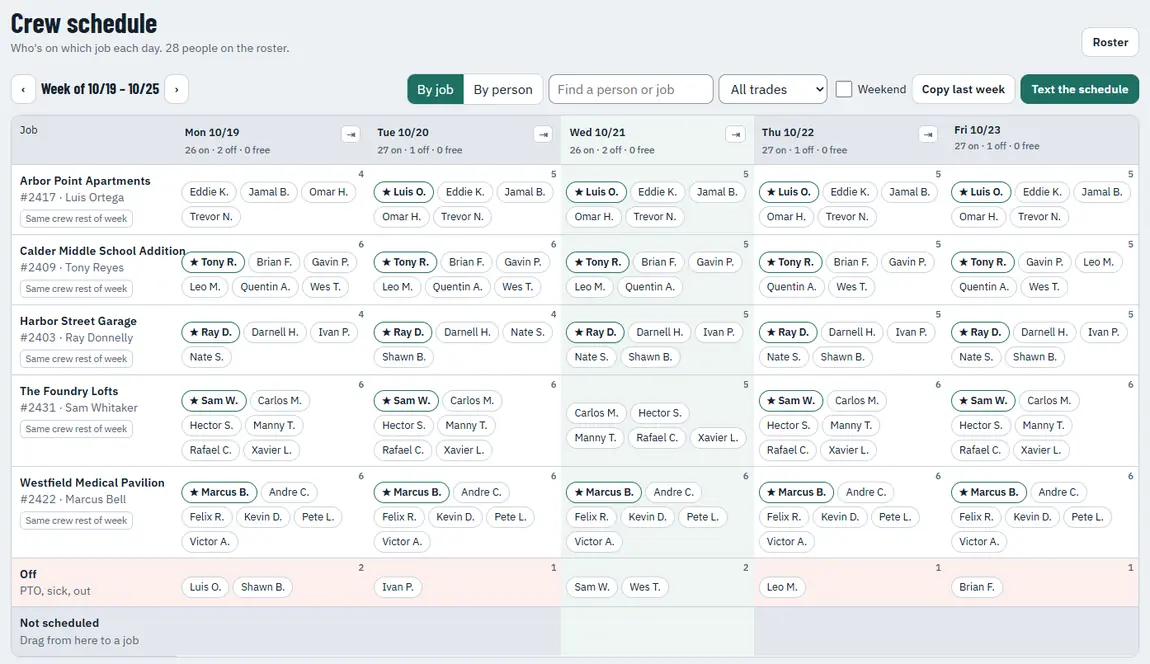
Build tomorrow's crews. Text everyone in one tap.
Drag people between jobs on a board that shows the whole week. When it's set, each person gets a text with their job, address, start time and lead. Move someone after it's posted and only the people who changed hear about it.
- Crew sign up for texts with a QR code in the shop
- Copy last week, repeat a day, mark people off
- Superintendents can build the schedule too
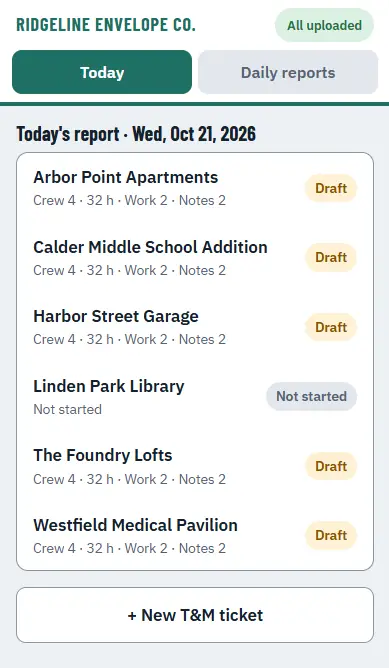
Made for gloves, sun glare and dead zones
Big buttons, plain words and no training manual. The field app keeps working in a basement or a parking garage and syncs when signal comes back. Install it on any iPhone, Android phone or iPad.
- Works offline; nothing is lost
- Sign in with a text code, no passwords to forget
- Company iPads and personal phones both work
Set up in an afternoon
Add your rates and jobs
Paste your labor classes, equipment and materials, set your rates, and add your active jobs. We'll help you import them.
Invite your foremen
They get a text, tap the link and they're in. No passwords. Add the app to their home screen in one step.
Send the first ticket
Foremen can send their first ticket the same day. The office sees it the moment the super signs.
For the trades that do the work
General contractor software is built for the GC. Tradeside is built for the sub: your rates, your crews, your paperwork.
One flat price for the company. Field users are free.
Most software charges for every foreman. We charge for the office and give your field team unlimited seats, so nobody gets left off to save money.
Questions
Does the GC superintendent need an account?
No. They get a text or email with a link, review the ticket on their phone or computer and sign with a finger or by typing their name. They can also sign in person on the foreman’s phone.
What happens when there’s no signal on site?
The field app keeps working. Tickets and daily reports are saved on the phone and sync on their own when signal comes back.
Do I pay for every foreman?
No. Foremen and crew are free on every plan. You pay a flat monthly price based on office users (admins, project managers and superintendents).
Can foremen see our rates?
No. Foremen record crew, hours, materials and equipment. Rates, markup and prices are only visible to the office.
Will it work with our existing paperwork?
Tickets, reports and change orders go out as PDFs with your logo, colors and contact information, so GCs get the same clean paperwork every time.
How do crews get schedule texts?
Each person agrees to texts once, by scanning a QR code in the shop, on the superintendent’s phone, or on your own paper form. They can reply STOP at any time.
Stop leaving extra work on the table
Try Tradeside free for 30 days on your real jobs.